Create, approve, and track policies – all in one place
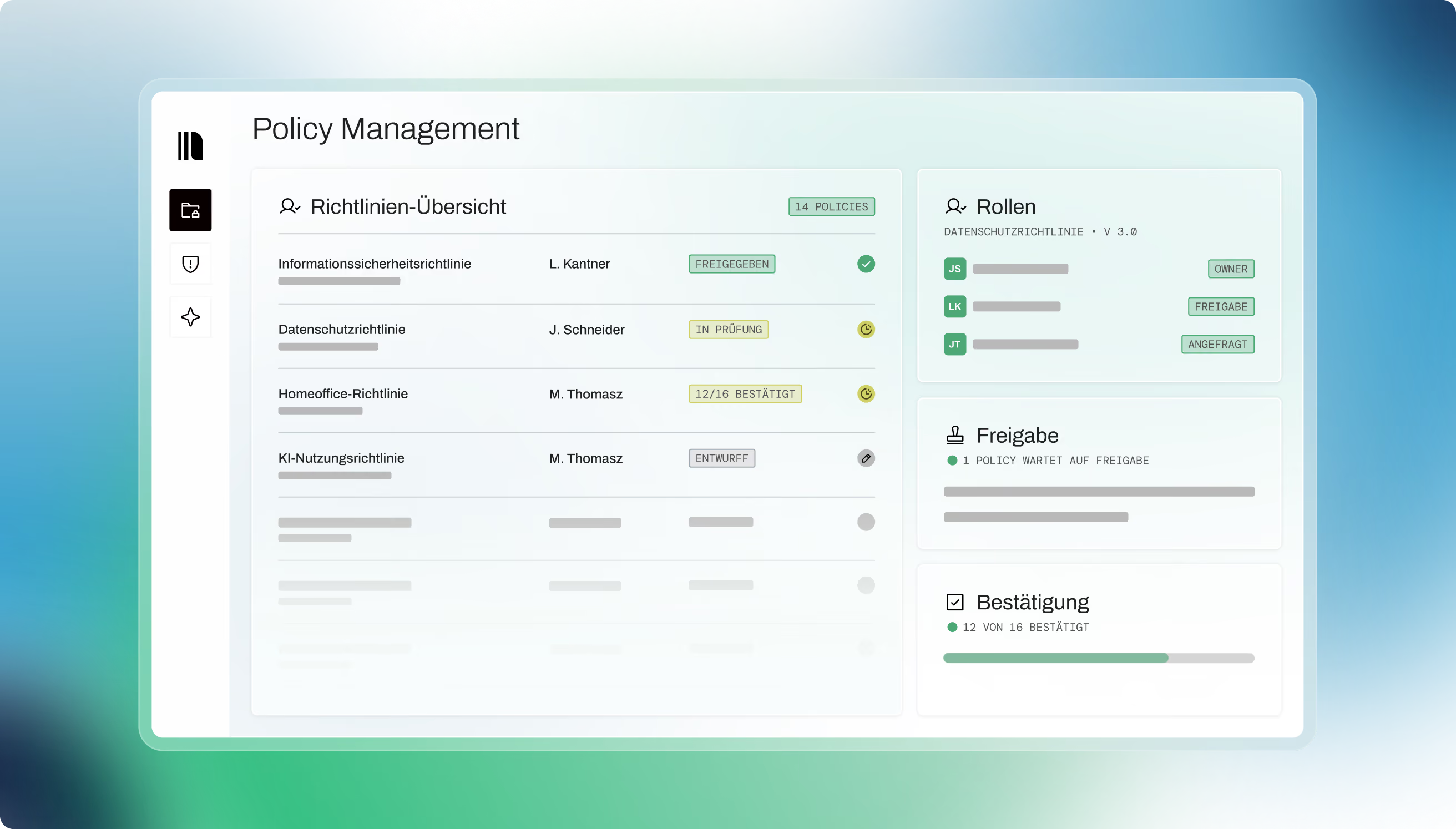
Managing company policies means more than drafting documents. With heyData's policy management, you assign ownership, control approvals, and centrally document acknowledgments – so you always have a clear, auditable picture of where every policy stands.

.svg)
_Leader_Leader.svg)
_MostImplementable_Total.svg)
.svg)
.avif)
Trusted by teams who want compliance that actually works
A clear process for every policy
Define ownership from the start
Assign an owner and an approver for each policy directly from your team – so accountability is built in, not bolted on afterward.
Track approvals without chasing people
See at a glance which policies are still pending review and which have been approved – no inbox threads, no manual status updates.
Document acknowledgments centrally
Request confirmation from team members and maintain a real-time record of who has read and acknowledged each policy. When an auditor asks, the answer is already there.
From creation to active policy
Define who owns the policy and who approves it. The designated individuals are automatically reflected in the current document version, keeping the record clean.
The responsible approver reviews and signs off on the policy directly on the platform. Once approved, the approval date and approver are automatically added to the document – no manual updates needed.
Invite the relevant team members to read and confirm the policy. You can track responses at any time and follow up with those who haven't yet confirmed – with a full audit trail to back it up.
FAQs
Can't find what you're looking for? Our team will get back to you within one business day.
Who can manage policies?
Who can manage policies?
Only users with the appropriate permission can access Policy Management and manage roles, approvals, or invitations.
Can a policy still be edited during the process?
Can a policy still be edited during the process?
Yes, as long as the current process status allows changes. After certain steps, editing is locked so that approvals and confirmations remain consistent.
Which version of the policy is shown in the preview?
Which version of the policy is shown in the preview?
The preview shows the latest relevant document version. After role assignment, it includes the policy owner; after approval, it also includes the approval date and the approving person.
Can policies be displayed in English?
Can policies be displayed in English?
For eligible customers, an English preview is available when the platform is set to English. Depending on your plan, only the German version may be available.

Make your policy processes simpler and fully traceable.
Manage ownership, approvals, and acknowledgments centrally – no tangled document versions, no manual follow-up.